Agents for Specialized Workloads on Azure
The Configuration and Troubleshooting agents are designed to manage mission-critical workloads like SAP and Epic on Azure by automating configuration validation, root cause analysis, and remediation. They address persistent challenges in IT operations—like drift, downtime, and fragmented tooling—by delivering proactive, workload-aware intelligence.
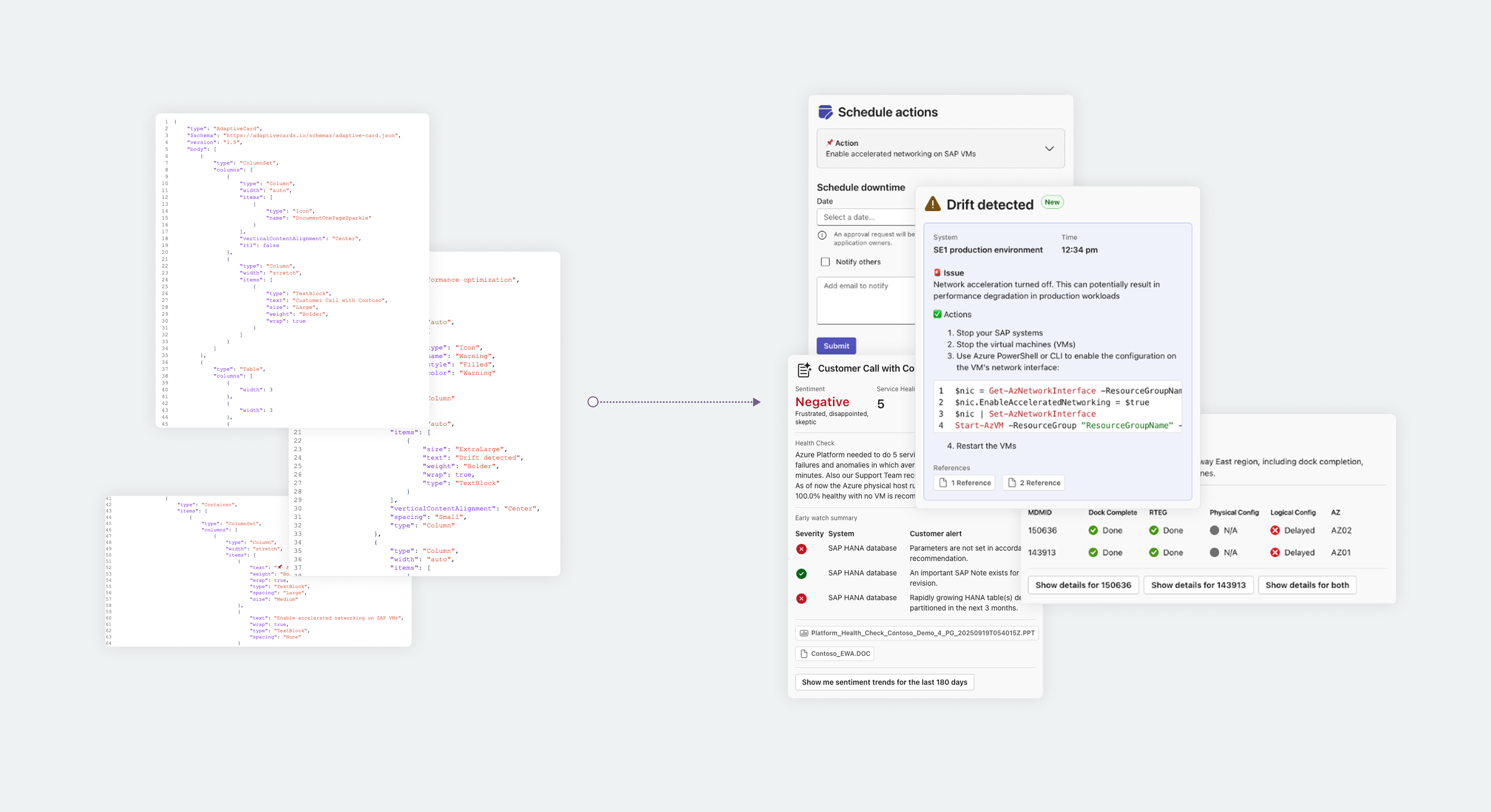
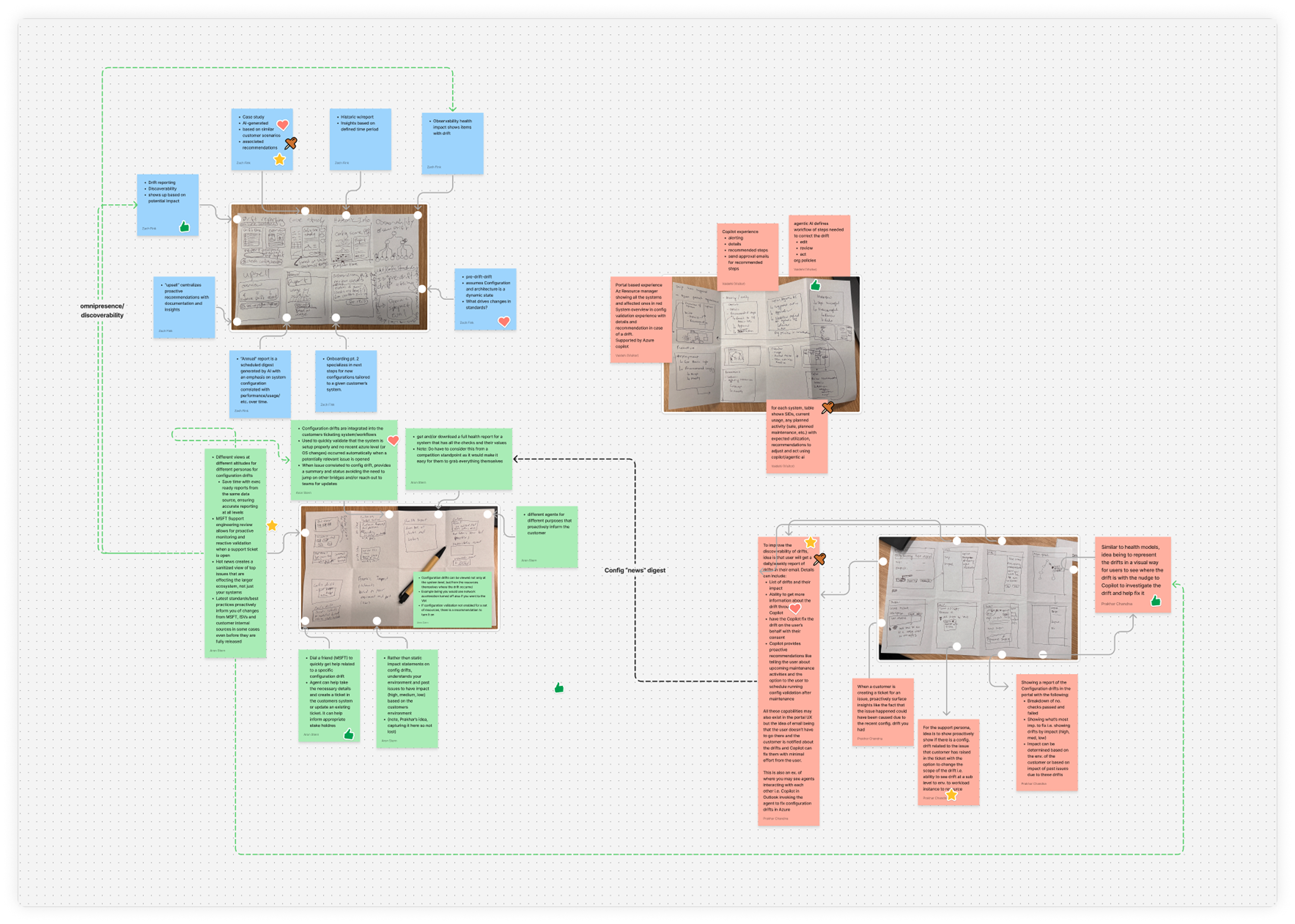
The project evolved rapidly with priorities shifting week-to-week. Shaping the UX required adaptability, working across many formats, and shorter cycles of collaboration between contributors. Deliverables included traditional UX flows, scripts, quick video demos, and JSON-based adaptive cards.
- Timeline
- Sep 2024 – Dec 2025
Context
A Copilot-powered, agentic AI platform for IT operations teams managing complex, regulated, or high-availability workloads on Azure.
- AI agents that can detect issues, triage root causes, and recommend or execute remediation
- Tailored for complex workloads like SAP and Epic Systems, where generic tools fall short
- Supports collaborative workflows across IT roles and systems
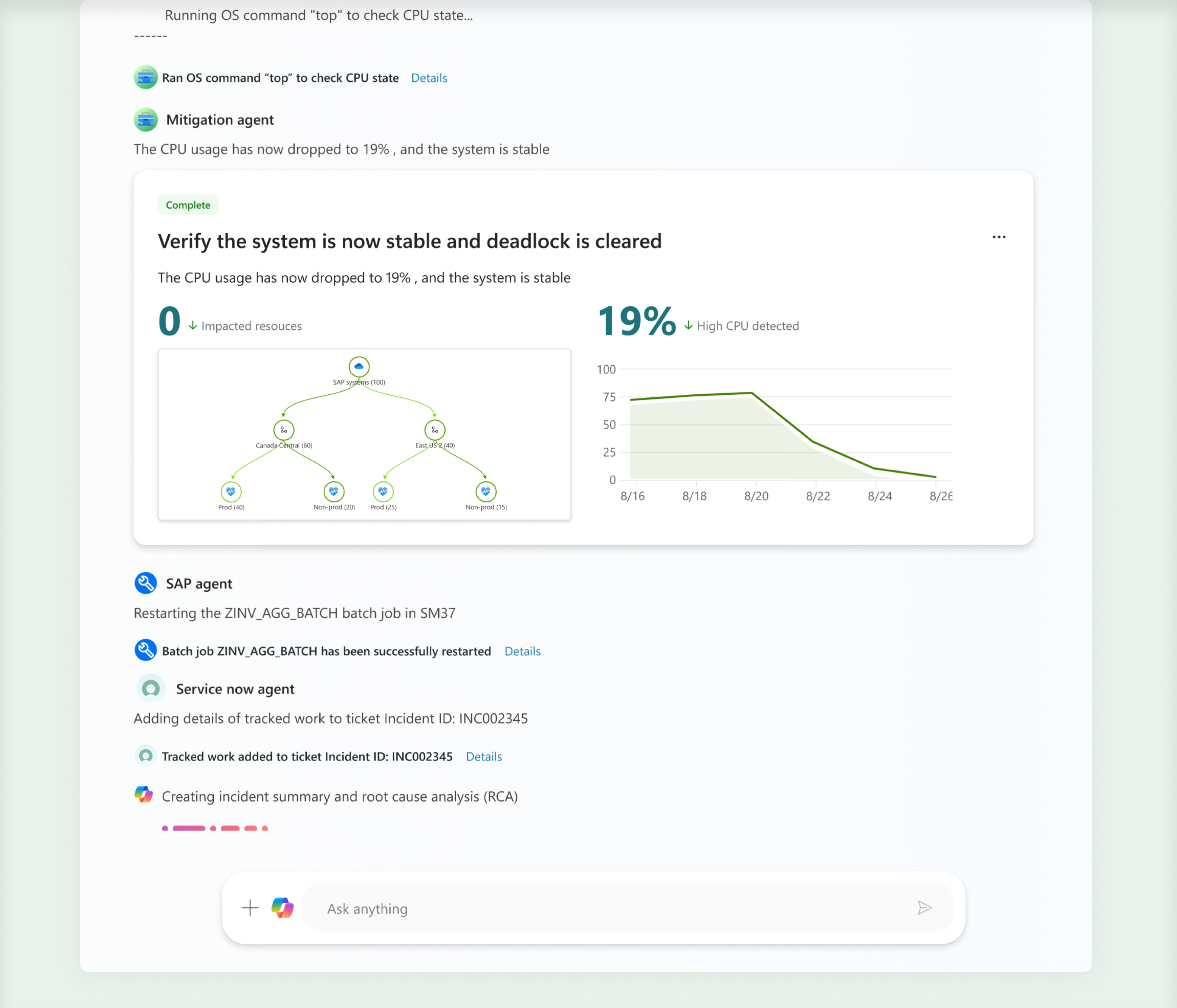
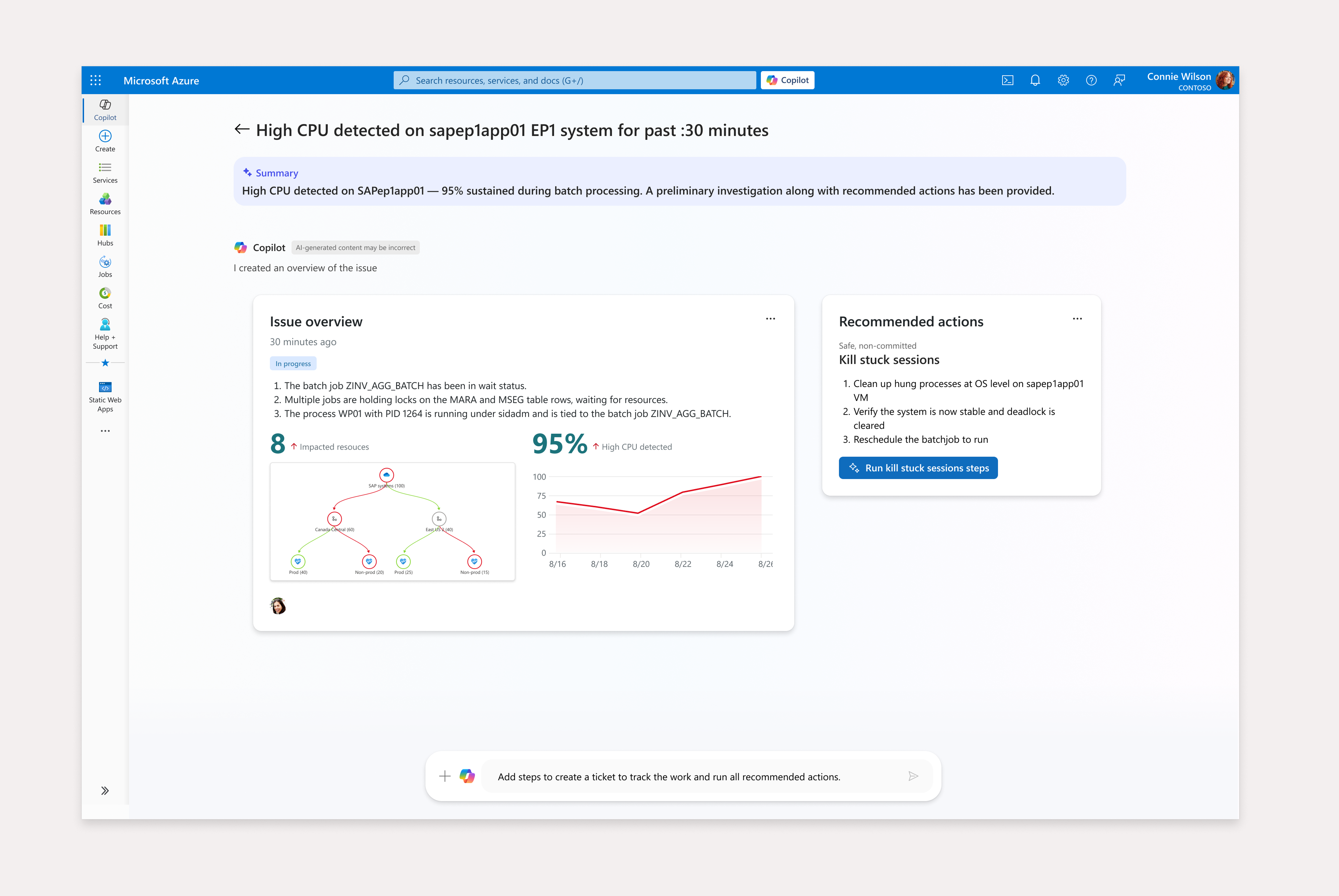
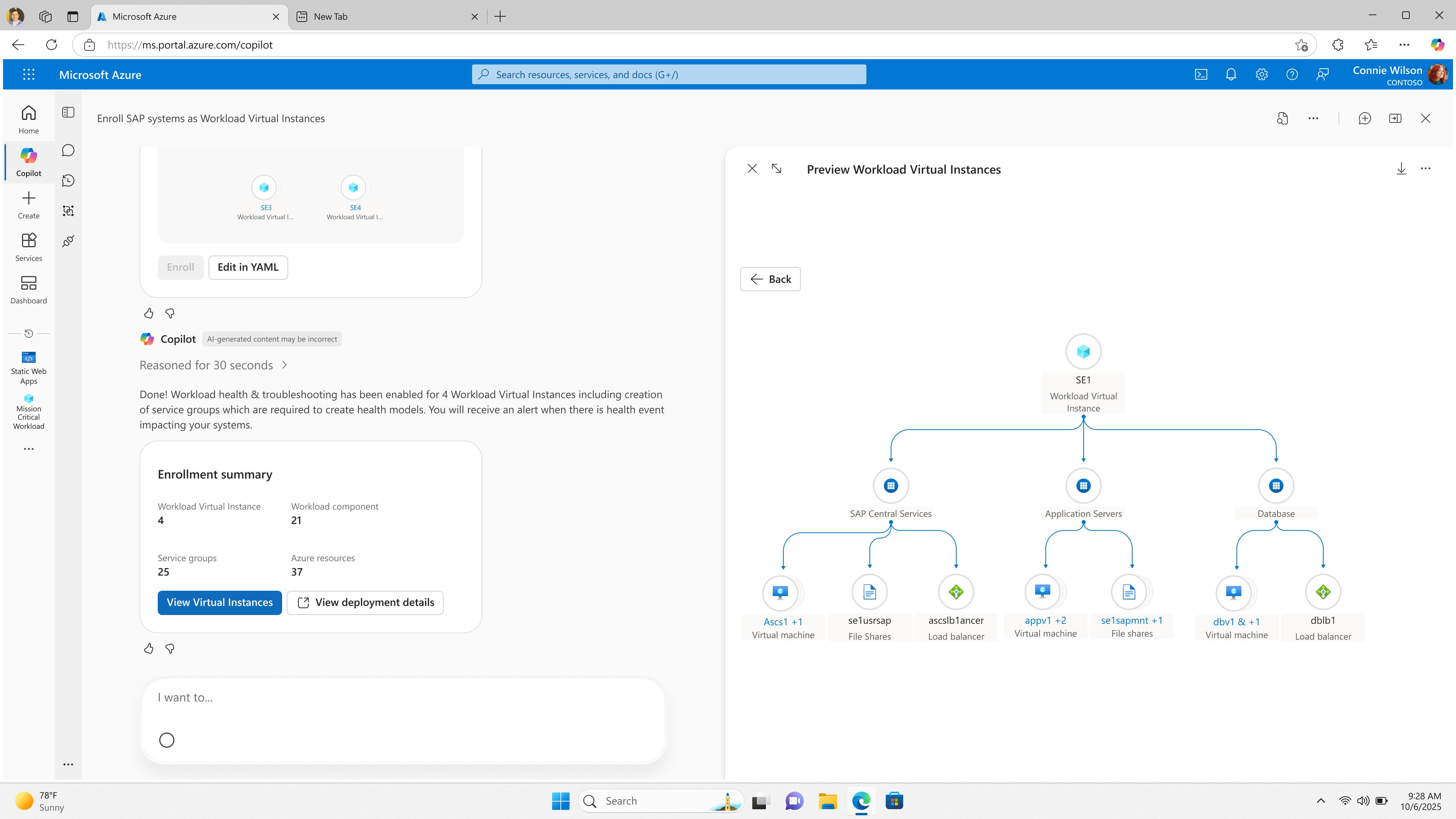
The Configuration Validation agent increases operational excellence and reduces escalations through workload-aware, proactive drift detection. The Troubleshooting agent provides rapid troubleshooting with root cause analysis. Together they combine configuration validation, observability, and collaborative remediation into a unified, intelligent experience tailored for complex workloads like SAP, Epic, and others.
Goals
The agents help IT pros managing massive, complex Azure systems, with a goal of delivering clearer, more relevant support so people can respond more confidently, work more efficiently, and keep systems running smoothly. Success is measured by accuracy, resolution speed, and user trust.
- 20% reduction in support tickets through effective configuration drift detection
- Time-to-triage issues reduced to under 15 minutes
- Increase the percentage of operators using the agent as part of their daily workflow to 80%
Who is it for?
When managing mission-critical workloads like SAP and Epic on Azure, IT professionals struggle to detect, diagnose, and resolve configuration issues and performance problems quickly and accurately—especially when these issues span infrastructure, application, and integration layers. These users:
- Work across infrastructure and application boundaries
- Need context-aware, AI-assisted workflows
- Operate in high-stakes, high-complexity environments
User roles
Primary
- Infrastructure Admins
- Workload Admins
- Support Engineers
- Cloud Solution Architects
Secondary
- IT Project Managers
- Security and Compliance
- Business App Owners
- Partners and SIs
User experience shift: assistive to autonomous
Agentic AI is a shift from assistive AI to autonomous AI with enough context and safeguards to justify it. AI should subtract complexity, not just surface it.

For example:
- Assistive: “Click here to approve this fix.”
- Autonomous: “This was fixed. Here’s why. Here’s how to undo it if needed.”
Responsible autonomy
Role-aware actions ensure that only individuals with the appropriate permissions can approve high-impact changes. Copilot maintains transparency by always explaining the rationale behind its recommendations, so users understand the reasoning behind AI-driven suggestions.
AI accountability is only enabled when WVI provides sufficient context to justify safe action.
- Auditability: Every AI action is logged and traceable.
- Transparency: Copilot explains its reasoning and confidence level (e.g., “80% confidence this is the root cause”).
- Fallbacks: Users can override or roll back AI decisions.
- Progressive rollout: Start with internal Copilot use (e.g., CSS engineers), then expand to customers.
UX design for agentic experiences
Start with a story
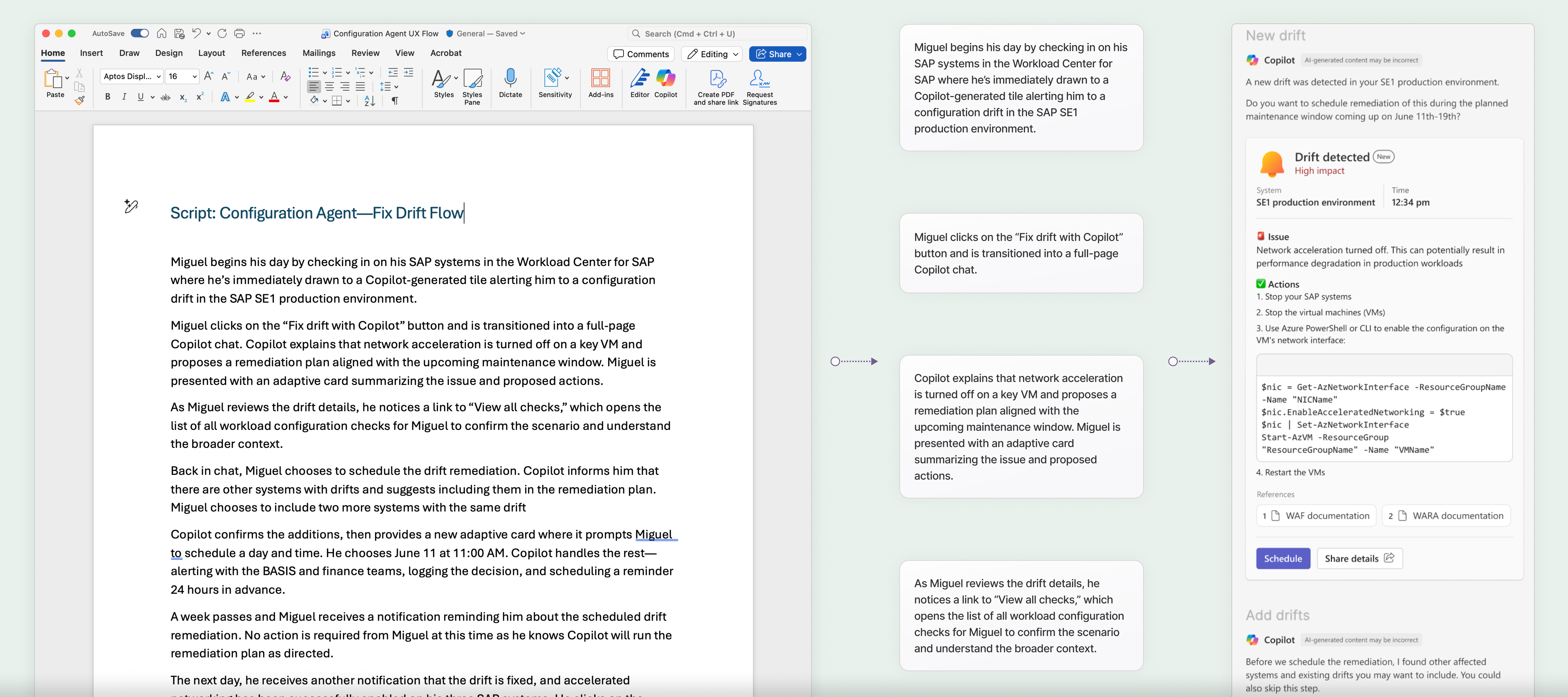
Designing for probabilistic systems like LLM-based AI presents significant challenges. One valuable approach we developed to solve these challenges was the development of scripts that drove our UX flows.
We collaborated closely across the product team with PMs and Engineers to craft a story that captures a highly detailed representation of a real-life scenario.
Evolution of agent output
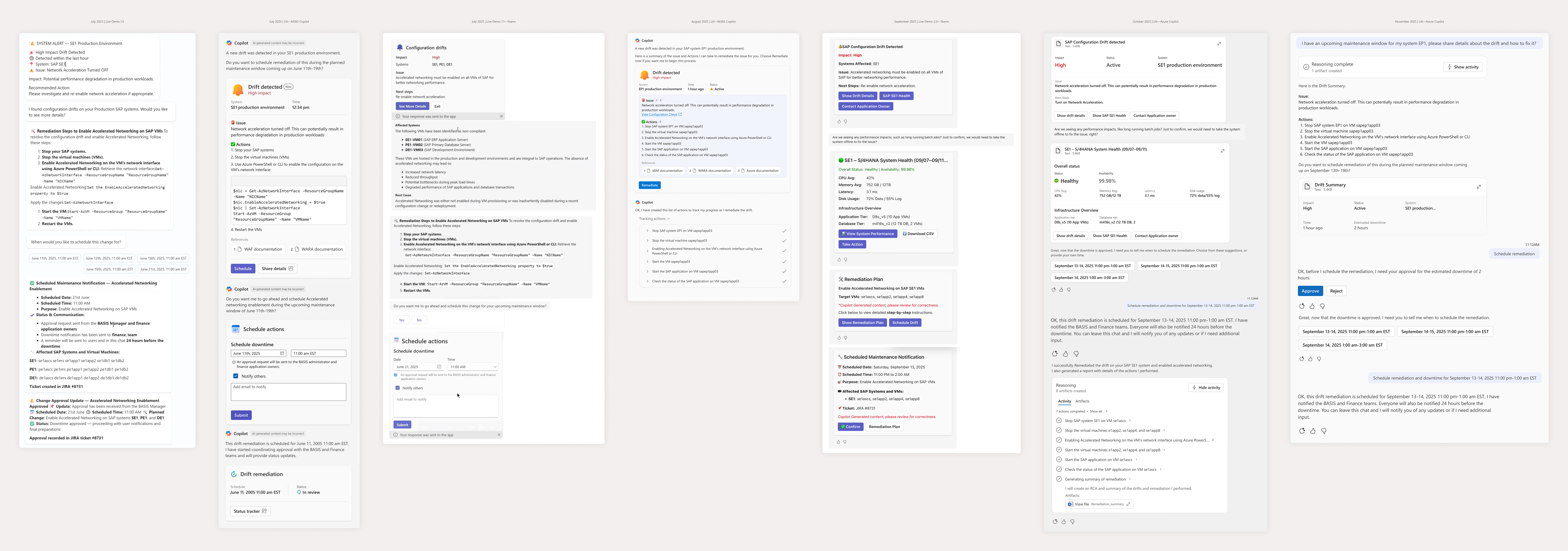
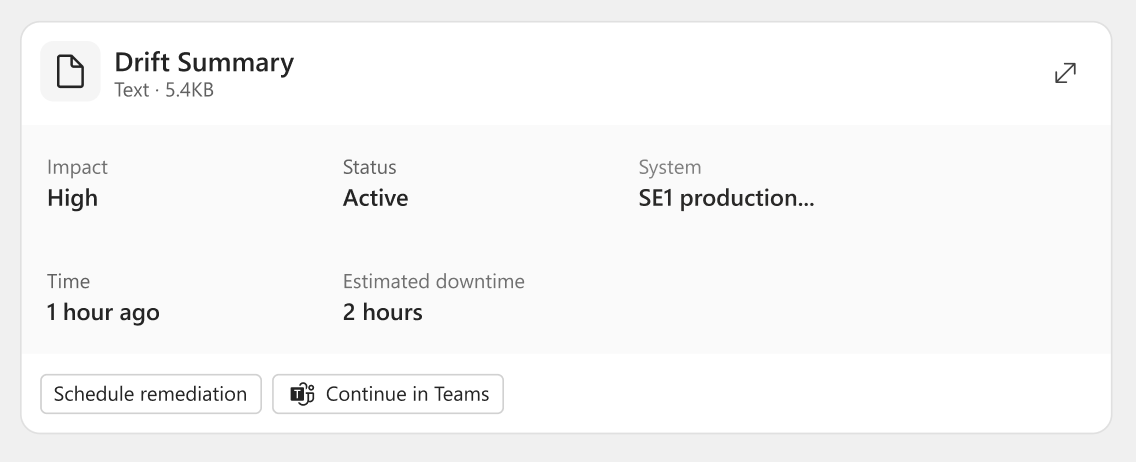
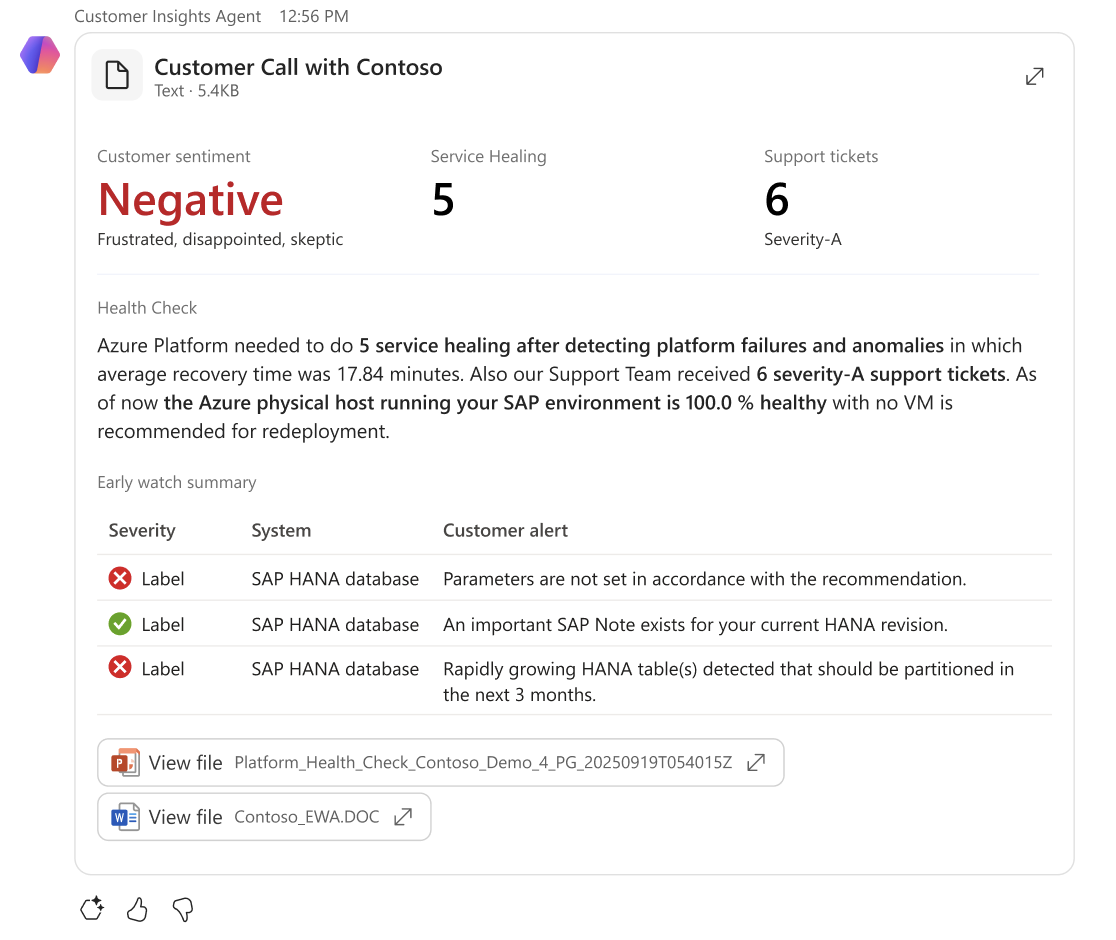
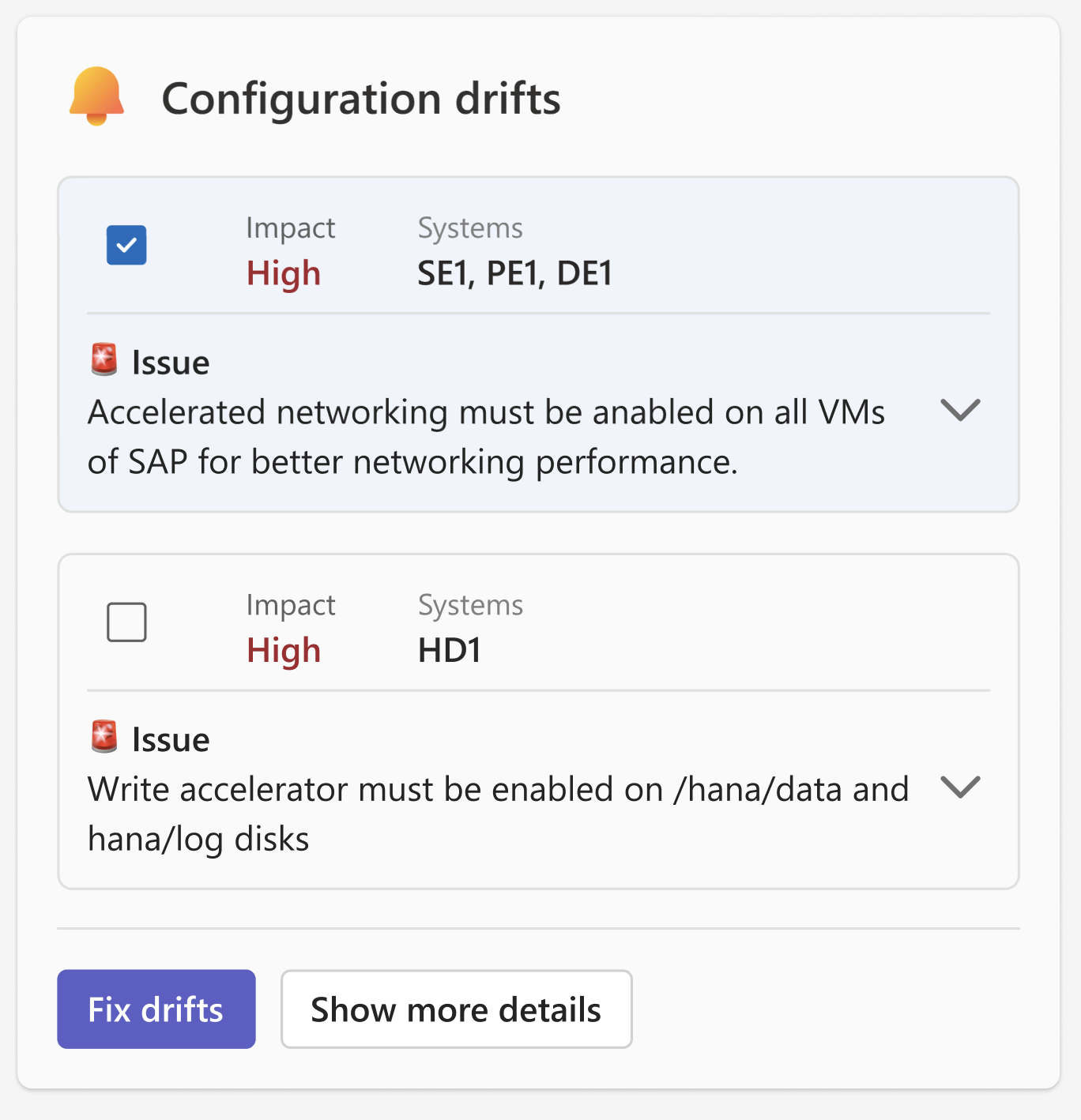
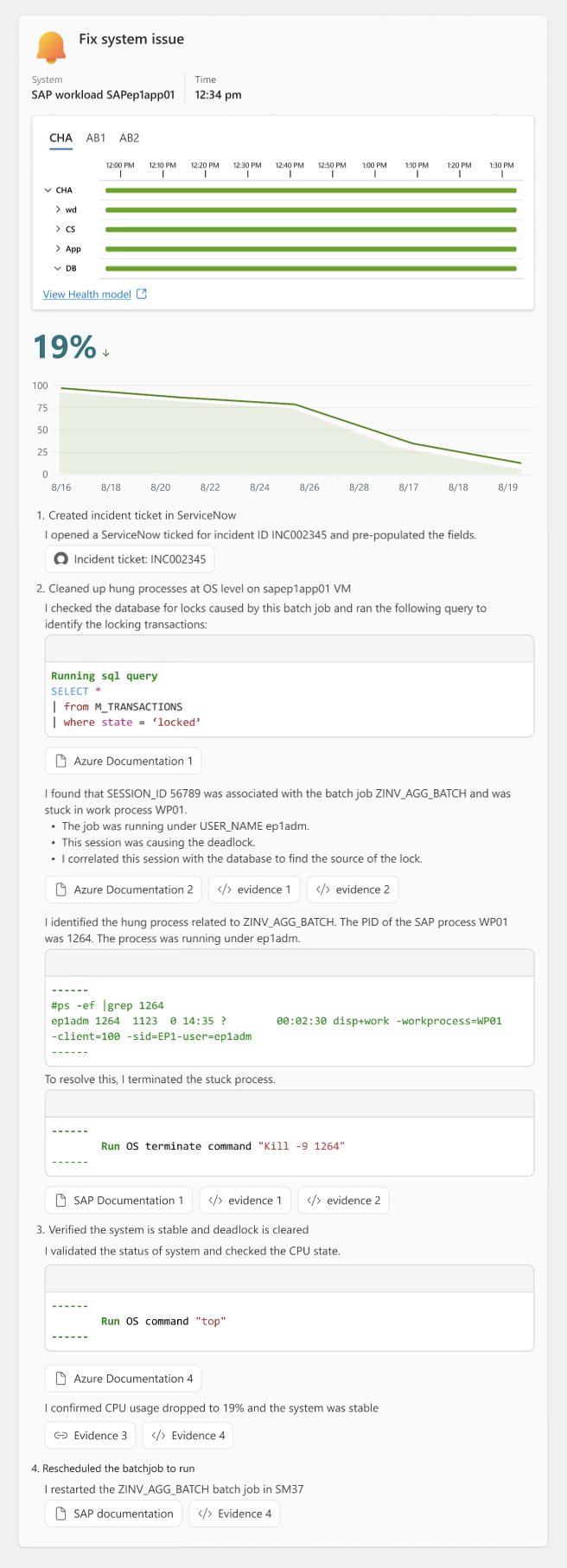
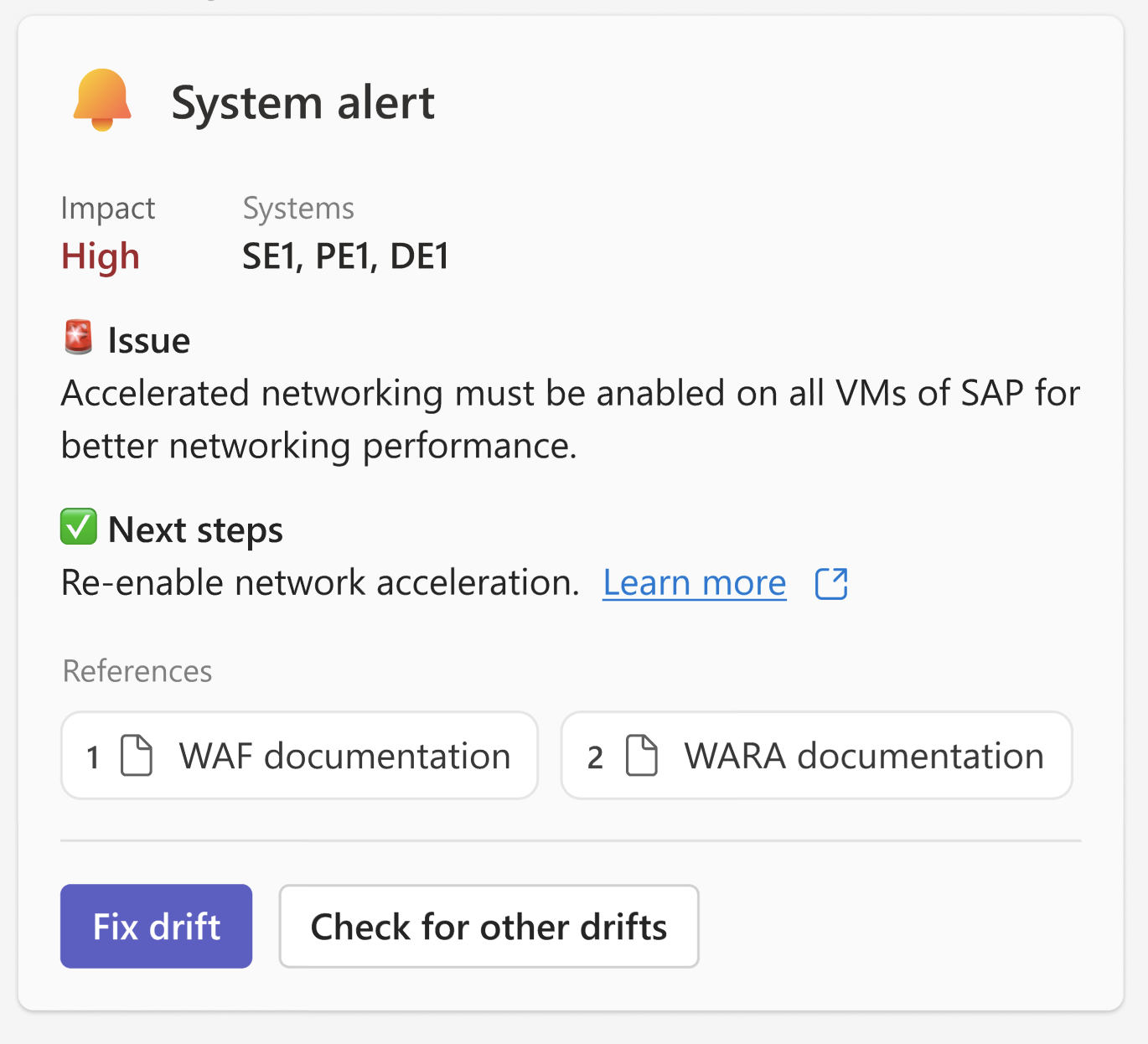
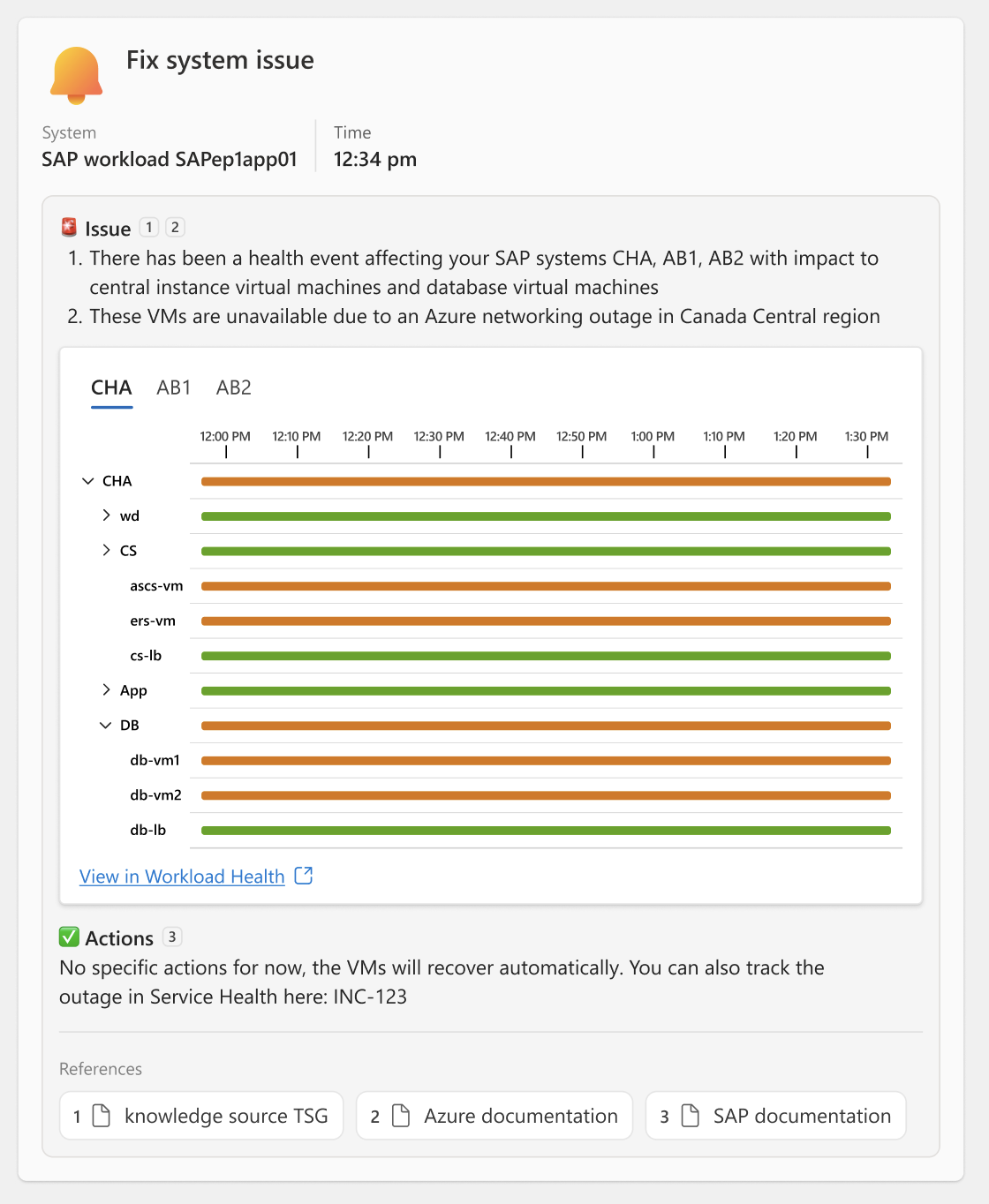
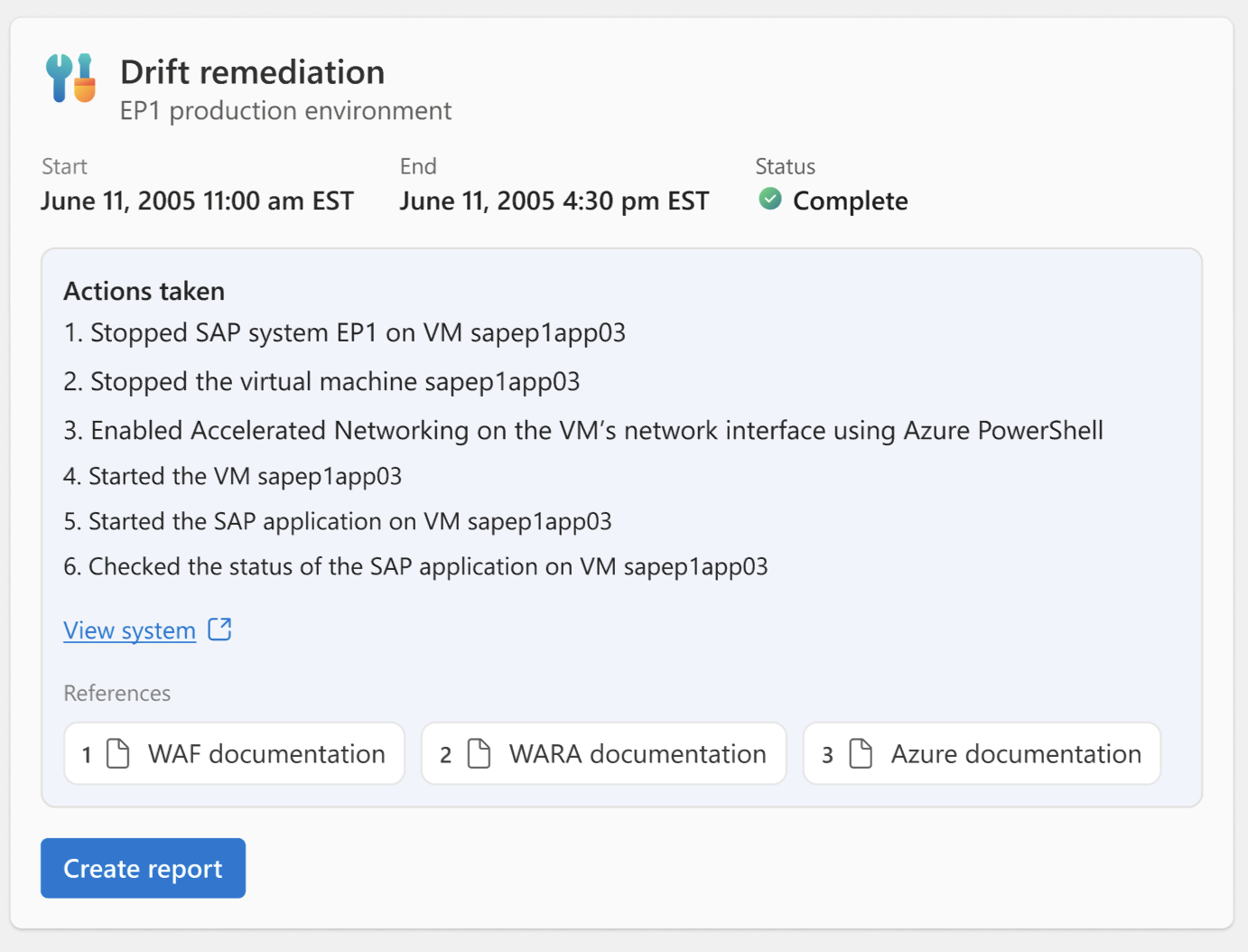
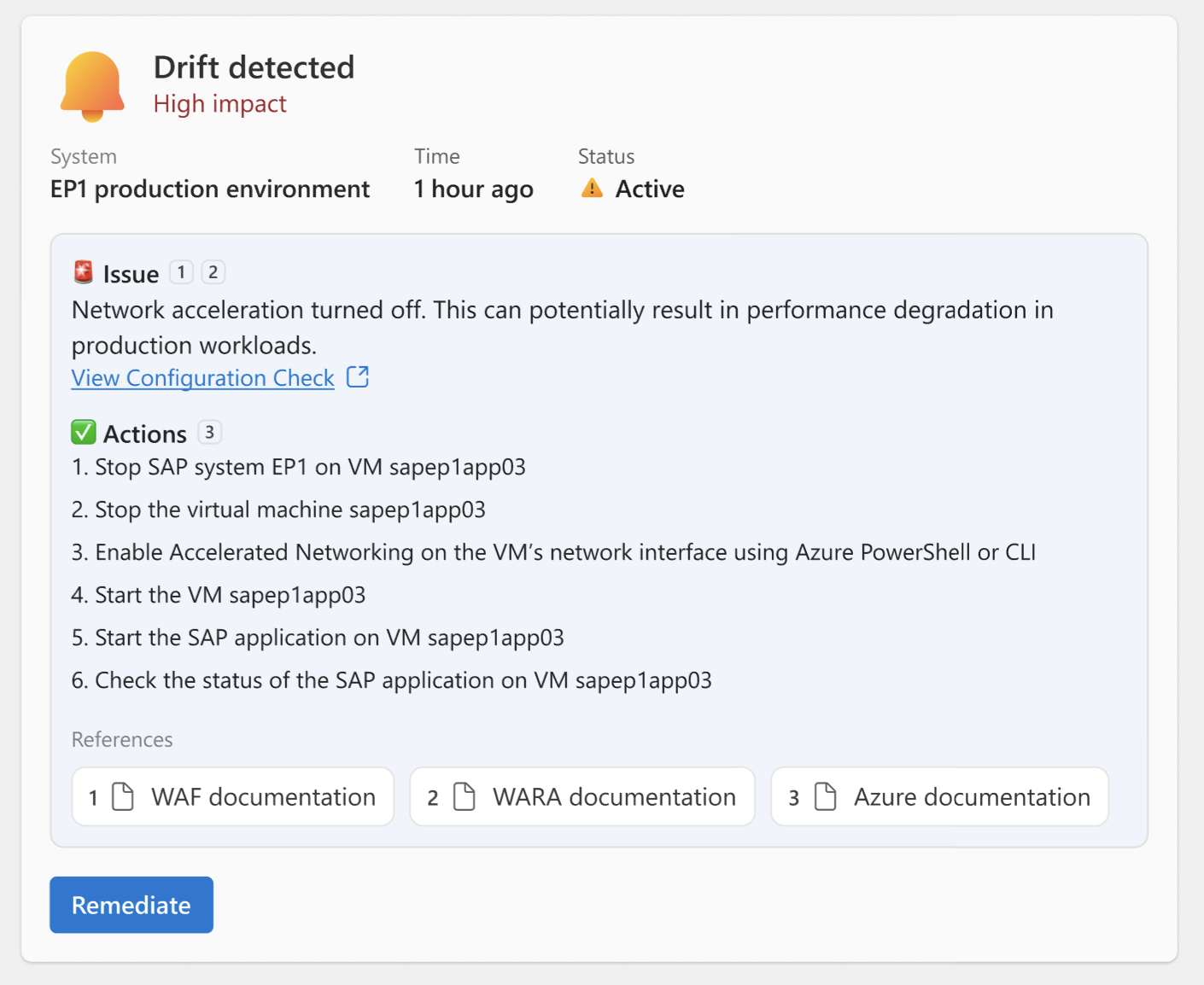
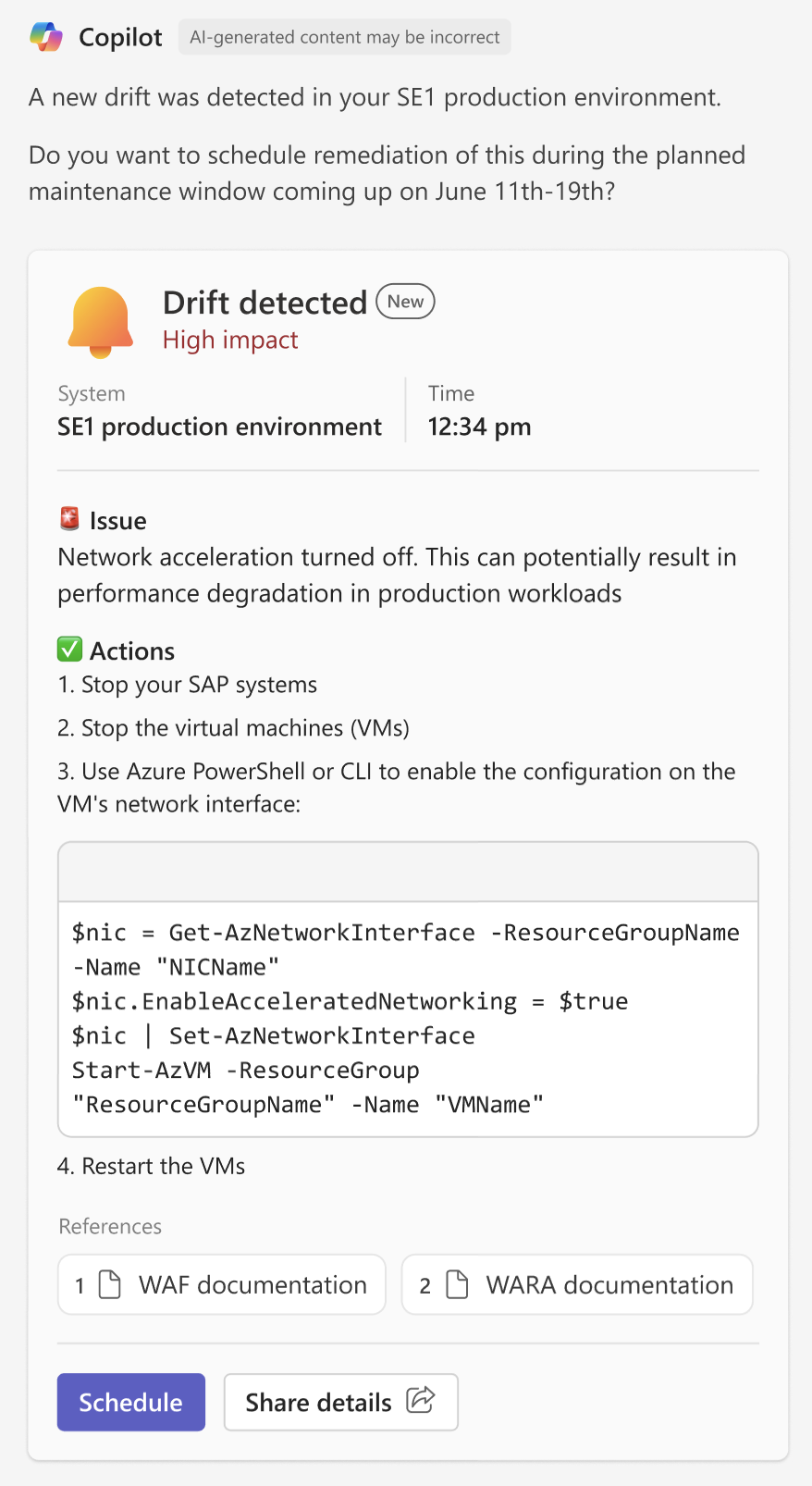
A central UX element through our development of agents was the output in the chat. Initial versions were made up of text and emojis and were very difficult to follow and maintain context throughout the flow. We iterated on possibilities, initially leveraging adaptive cards to group information and to provide controls for configuring responses and calls to action.
Platform context
Where the agents were actualized evolved throughout the process, ranging from a custom experience in Azure, to Azure Copilot, and ultimately to Teams, where we had the most flexibility to iterate on real experiences.
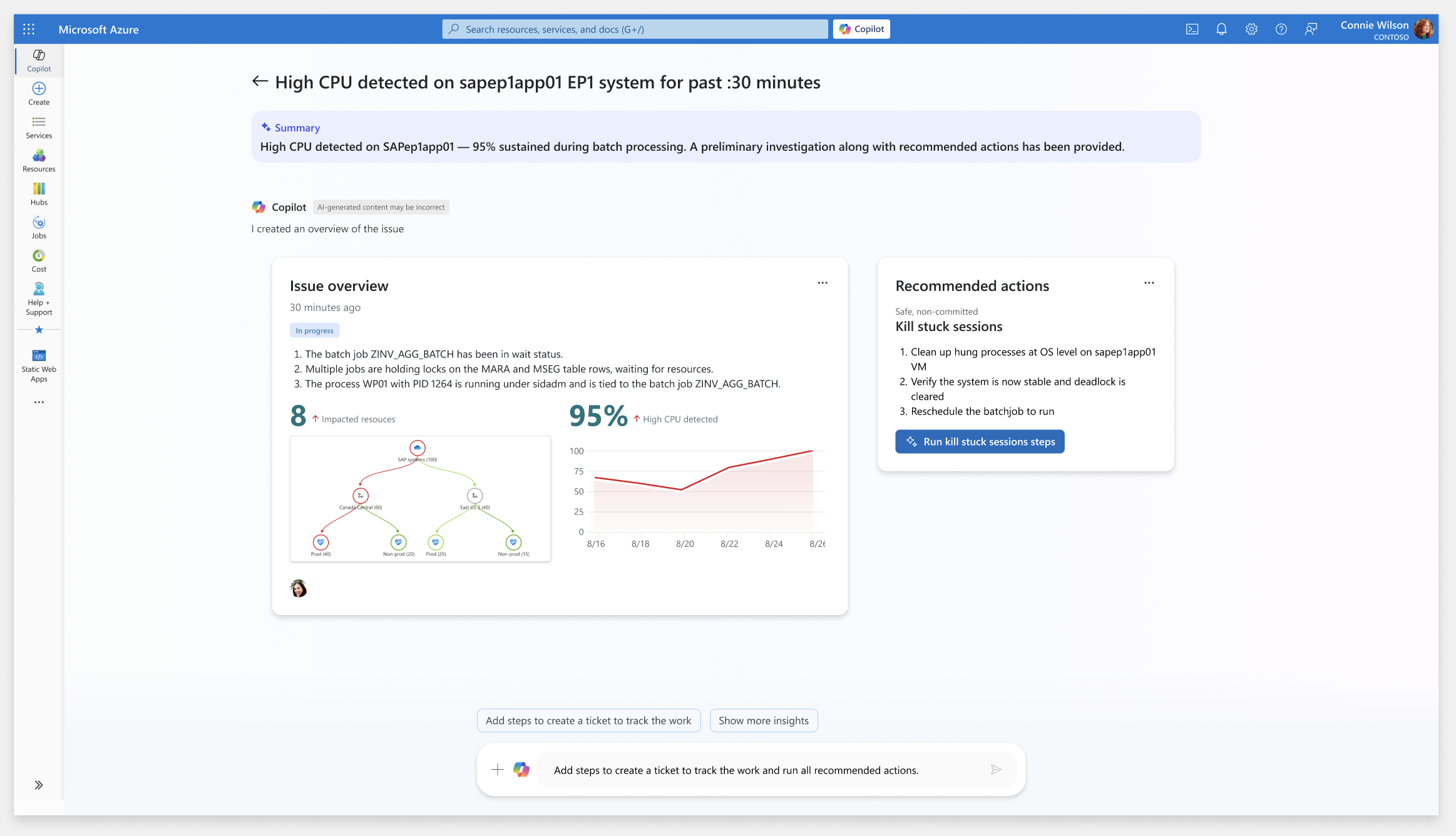
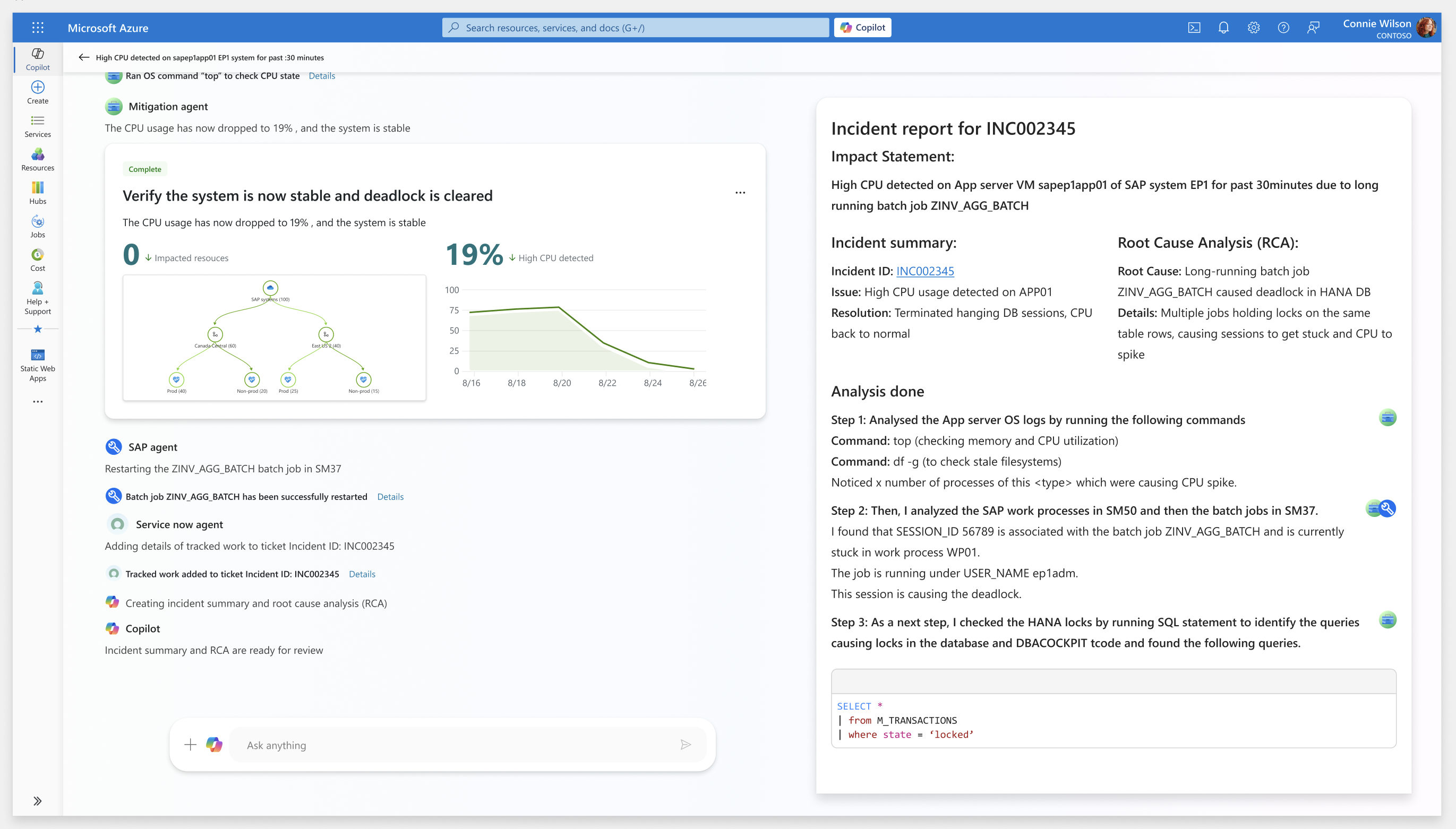
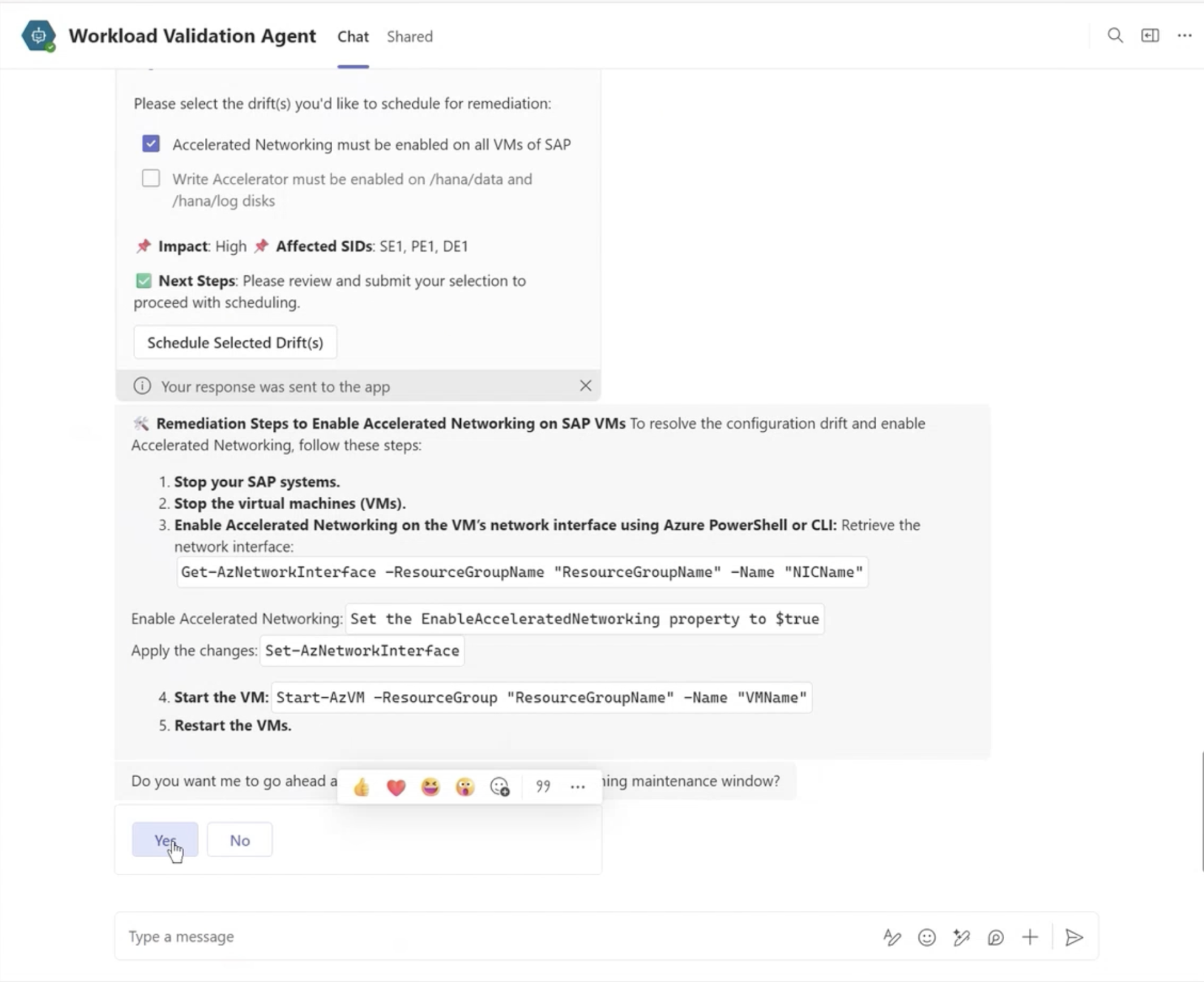
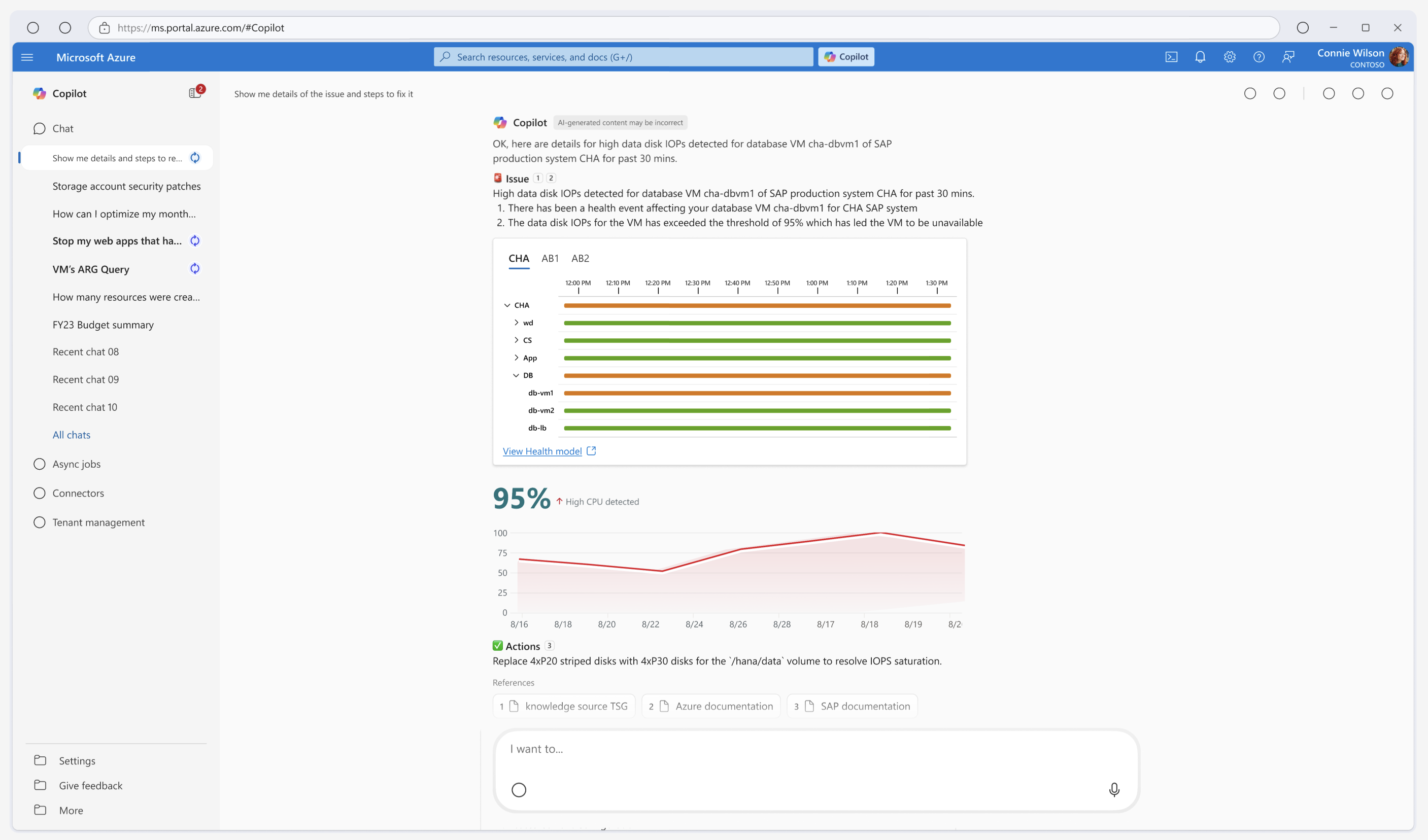
Adaptive Cards